How to Change Address on a Driving Licence?
Changing the address on a driving licence is a very easy process with the help of the Parivahan website. Anyone can change their address on their driving licence. If they select the contactless services option, then no need to visit the RTO office. Using the Aadhar Card data to change the address online on the DL. In this post, we guide you on how to change your address on your Driving Licence online.
How to Change Address on Driving Licence?
Follow the steps below to change the address on DL:
Visit the Parivahan official Website
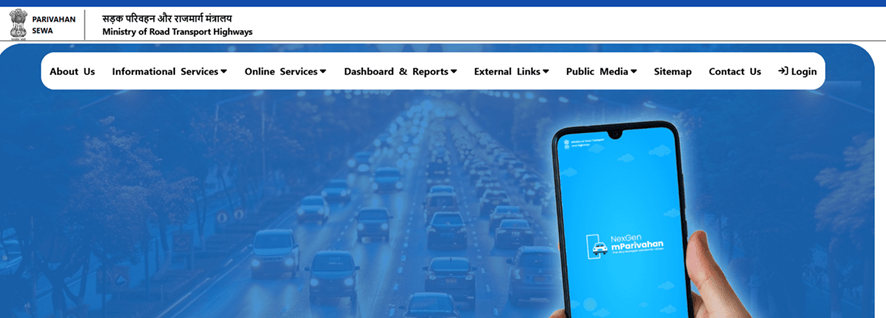
First of all, open the official website of Parivahan: https://parivahan.gov.in
Select Driving Licence Related Services
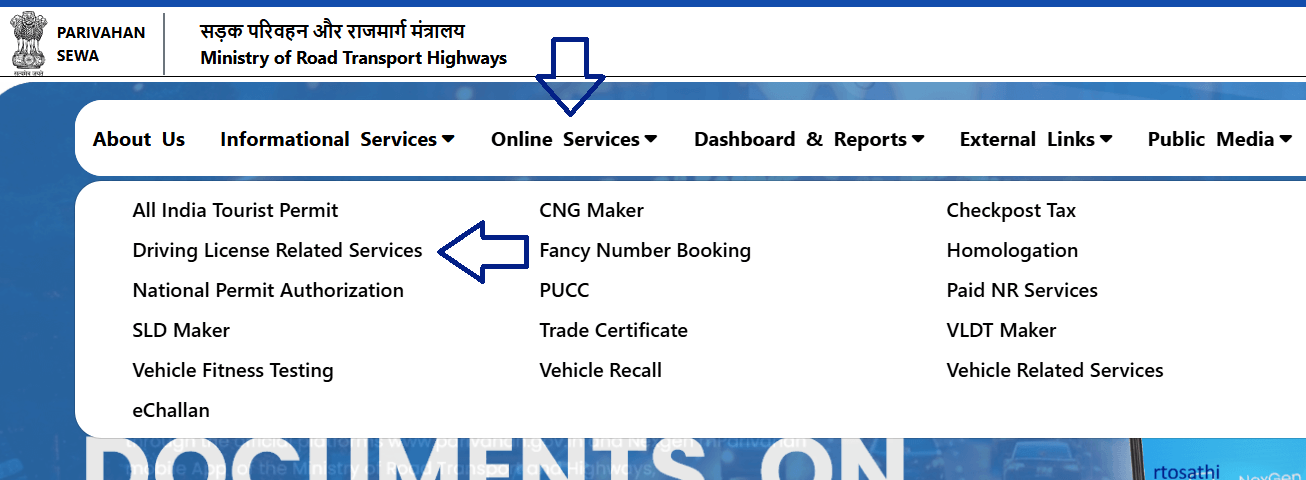
Select the main menu to Online Services to Driving Licence Related Service.
Select state
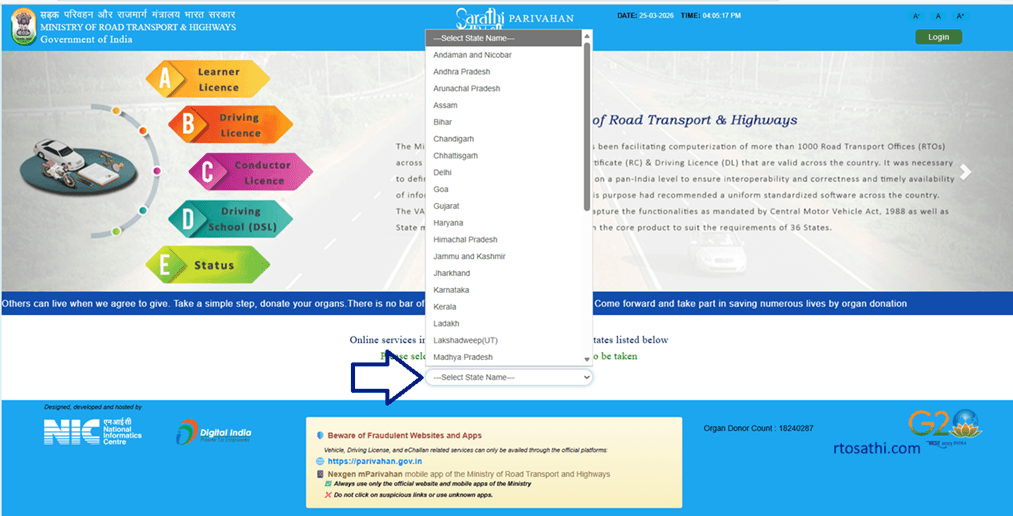
Now select your state
Select Apply Change of Address
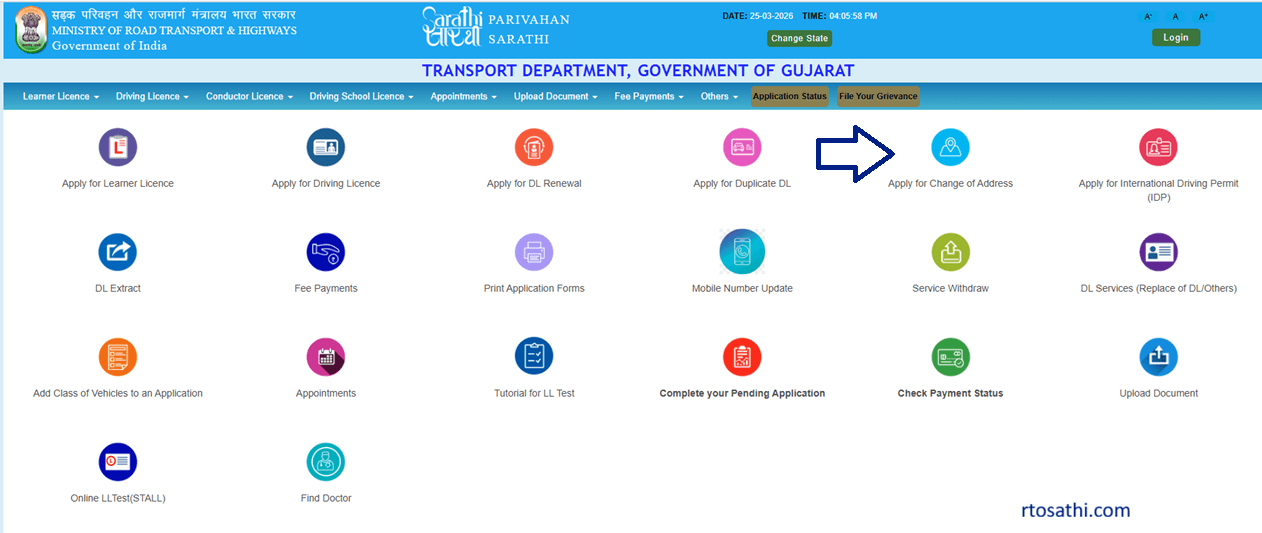
Select the main menu to Apply Change of Address option, as shown in the image
Read Instructions
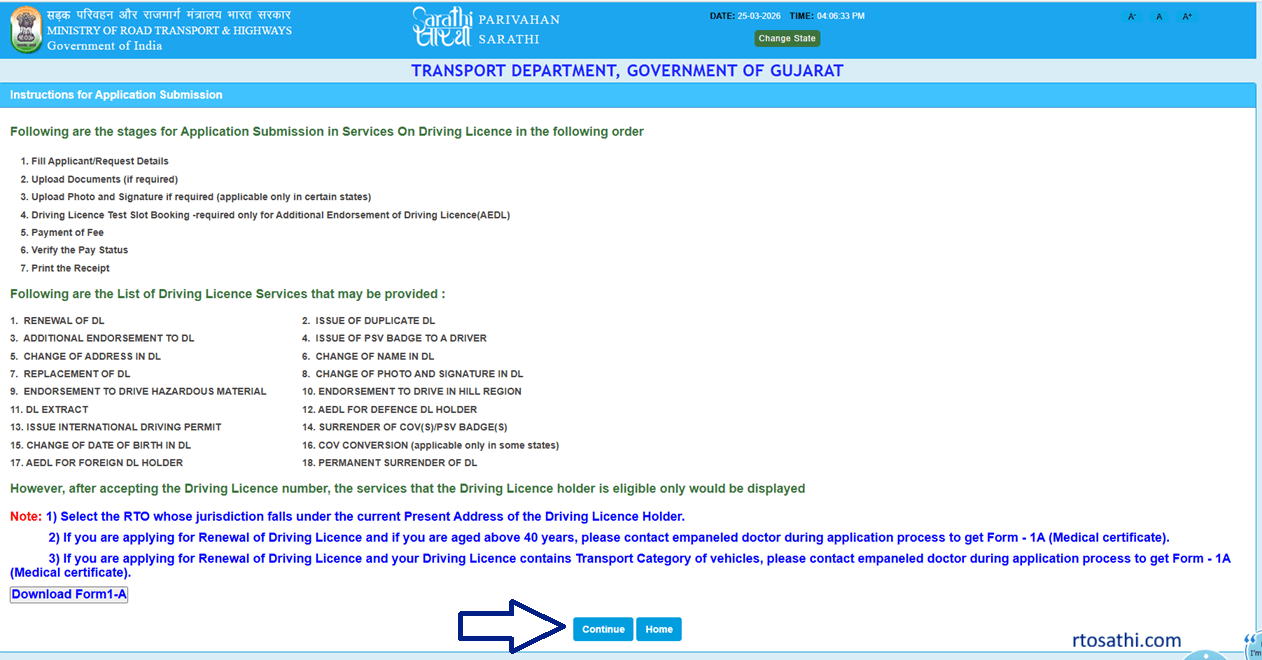
Now, show the instruction page and click on the Continue button.
Enter DL details
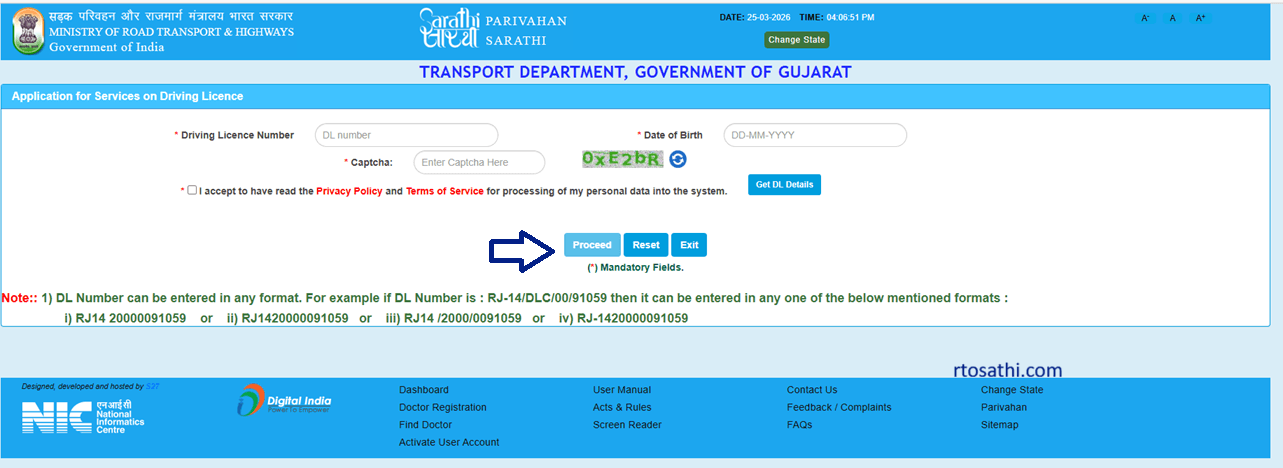
enter your driving licence number and captcha code, and click on the Proceed button.
Update details
Show your driving licence details and click on the continue button.
Choose Aadhar Authentication
Now choose the Aadhar Authentication option for updating the address, verify with Aadhar OTP, and get data from Aadhar. (No need to visit RTO if select Faceless services, same address as Aadhar card)
Pay Fees
Pay the required fees, address change fees are 200 rupees.
Submit Application
After application payment fees, click on the submit button, and your application will be successfully submitted.
Frequently Ask Questions (FAQ)
Is it necessary to visit the RTO Office for an address change in the Driving Licence?
No, if you select the Contactless services option then no need to visit the RTO office.
How much are the fees for an address change in the DL application Charges?
200 rupees for an address change in the Driving Licence.