Check Driving Licence Status online via Parivahan Website
Anyone who wants to check the driving licence application status online at home can visit the right place. In this post, we guide you on how to check the Driving Licence application status online via the Parivahan official website. Parivahan portal gives a lot of information related to driving licences and vehicles for the public.
How to Check Driving Licence Application Status Via Parivahan?
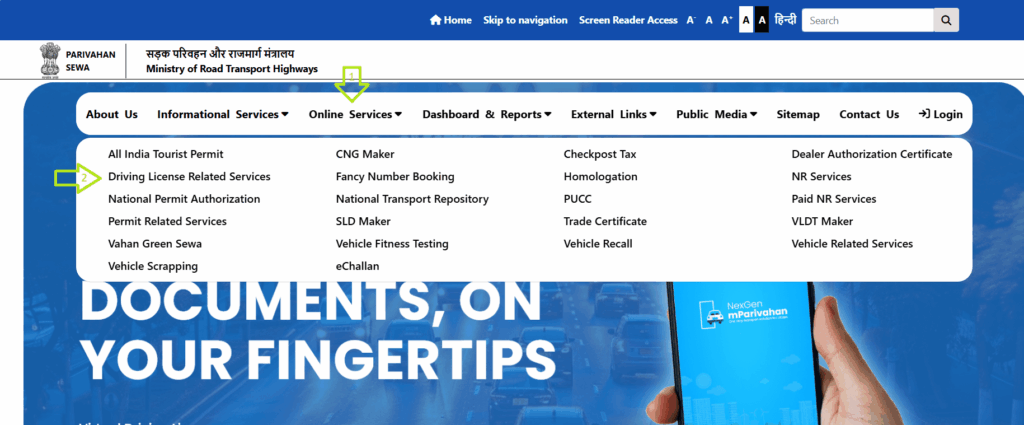
Check Driving Licence application status online, then first open the Parivahan official Website: https://parivahan.gov.in and Select Driving Licence Related Service from the Online Services main menu.
Now you have to select your state.
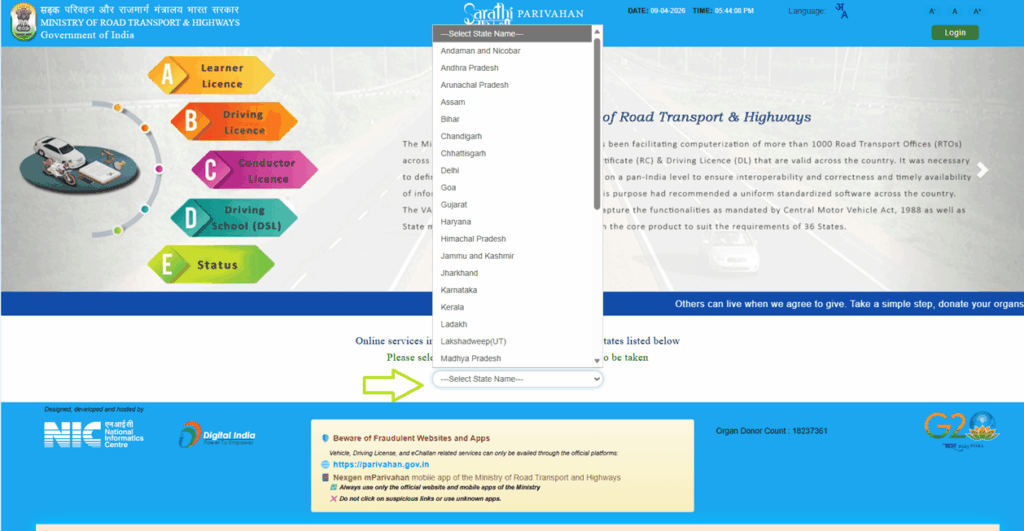
Now you will see the Application Status button in the main menu bar. You have to click on it.
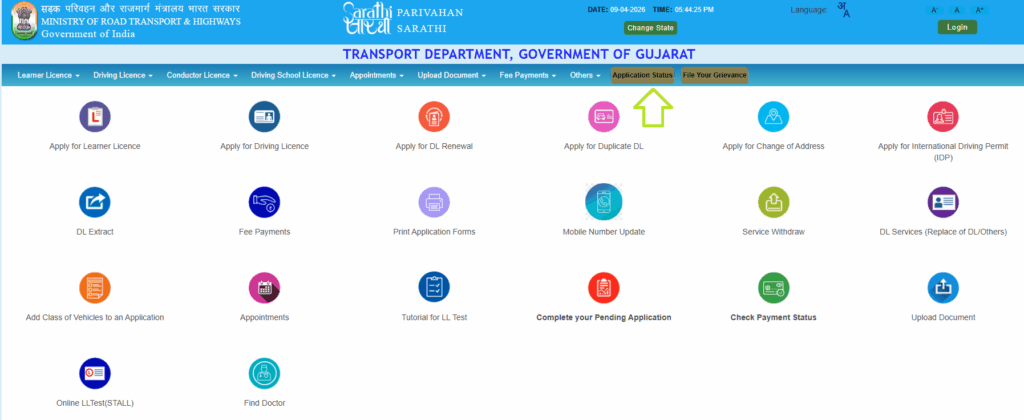
Enter your application number and date of birth.
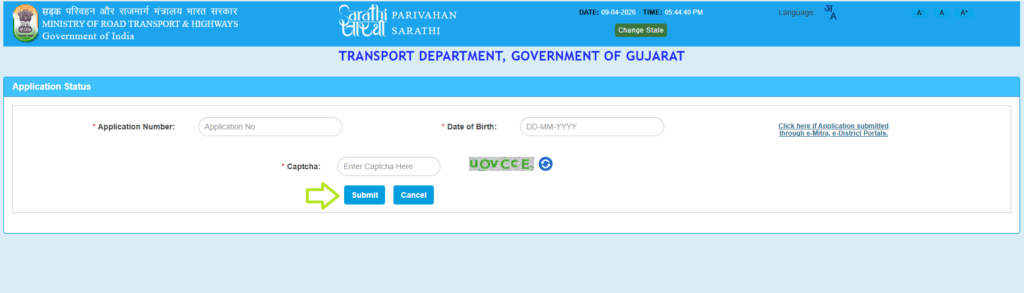
Then you have to click on the submit button, and the status of your application will be in front of you.
Direct link for check DL status online : https://parivahan.gov.in/rcdlstatus/?pur_cd=101
Frequently Asked Questions (FAQs)
How long does it take to complete a driving license application?
It all depends on the state. Completed within 2 to 3 weeks.
My application status is “Rejected.” What should I do?
If the document has been filed for verification, verify it again. If you fail the driving license test, take the test again.
What if my application status shows “Pending for Approval”?
So your application is under verification, no need for further action. Please wait for 2 weeks for the status change.
What does “DL Printed” mean in the application status?
Dal print means your driving license has been printed and will be sent to you in a few days.
What does “Driving Licence Dispatched” mean in the application status?
Your license process has been completed and has been sent to you by post to your home.